Terminals is a multi-protocol tabbed interface for remote connections. Right now it supports all of these connection types:
1. RDP – Microsoft’s Remote Desktop aka Terminal Services
2. VNC – Virtual Network Computing
3. VMRC – Virtual Machine Remote Control
4. RAS – Remote Access Service (VPN, Dialup)
5. Telnet – Telecommunication Network
6. SSH – Secure Shell
7. ICA Citrix – Independent Computing Architecture
Other features include:
1. Ability to import files such as MuRD and RDP files.
2. Tagging connections (grouping)
3. Shortcuts (to external tools) and Favorites
4. Some toolbar customization
5. Full Screen mode, multiple screen sizes and color depths supported
6. Minimize to tray
7. Single application instance
8. Execute before connect
9. Completely secure password storage
10. Screen capture of entire terminal window
Screen Shots:
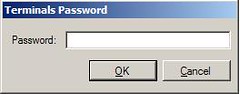
Figure 1.0 – Master Password

Figure 1.1 – The Main Form
The Shortcuts are listed across the tom starting with the command line. On the bottom we see the Connect To Dropdown, which is populated with all of your favorites. To the right of that you see the ability to tag and mark a terminal as a favorite, and of course to perform a screen capture of the current terminal content. Lastly the bar on the bottom right is the list of favorites which I have added to my toolbar.
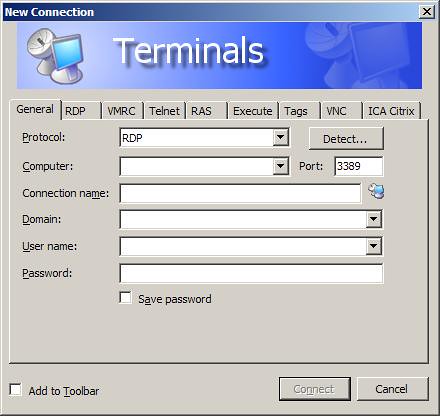
Figure 1.2 – Adding a new favorite connection
Allows you to specify all the standard parameters (host, port, name, etc..), and then specific parameters for each connection type.
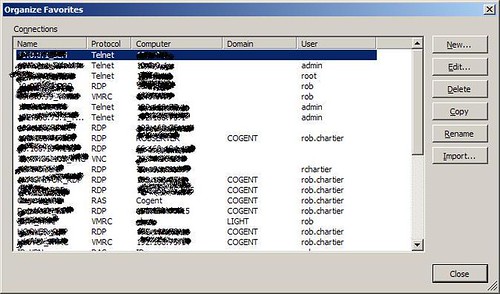
Figure 1.3 – Organizing Favorites
Allows you to manage your complete list of favorites, as well as Importing from other formats.
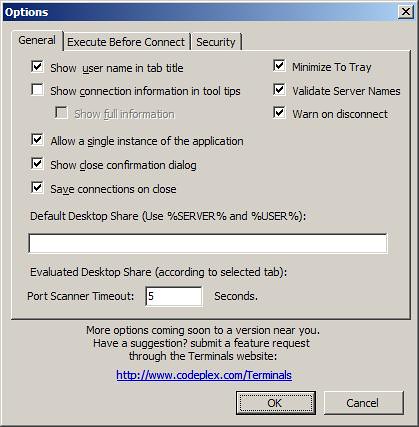
Figure 1.4 – Application Options
Allows you to set application wide settings.
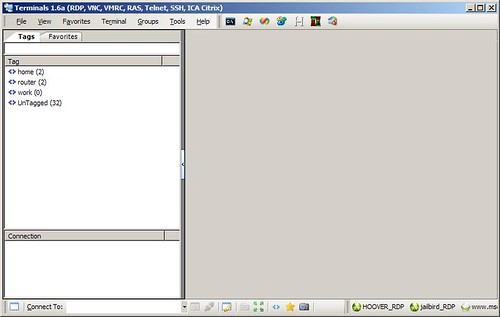
Figure 1.5 – The Main form, with tags/favorites
The area on the left presents an alternative way to view your favorite connections and to launch each from there.
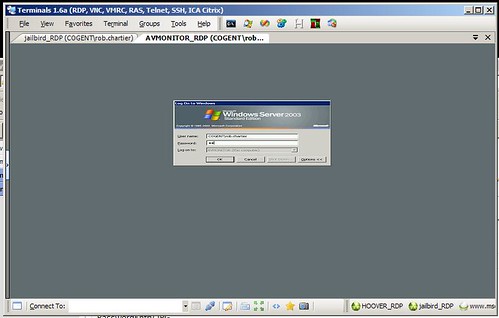
Figure 1.6 – Tabbed connections in action
We are connected to two RDP sessions at once, notice the tabbed interface? Very cool.
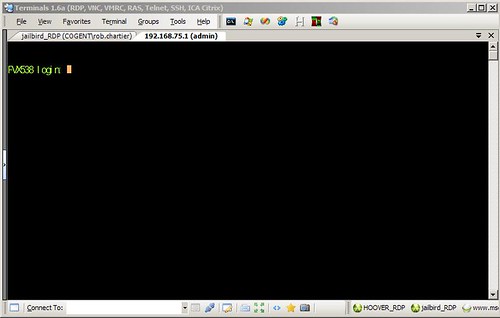
Figure 1.7 – Telnet session
A sample telnet/ssh connection in the tabbed UI of terminals.
Feel free to download the latest bits from the links below, and let us know what you think.
Links:
Flickr PhotoSet of screenshots
Terminals 1.6 Release Page **DOWNLOAD HERE**
Terminals Project Issue Tracker - Report bugs here!

No comments:
Post a Comment