Ever wonder it is possible not to have the PC speaker turned Off when you’re running your VMs? It’s sometimes quite anoying when you VMs beeps all the time. You can just modify the global configuration file or VMware Workstation.To do this:
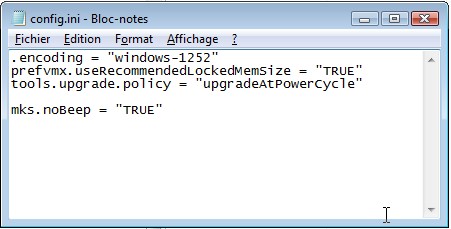
To disable the speaker emulation for virtual machines, add the following line to Workstation’s global configuration file:
mks.noBeep = “TRUE”
On Windows host:
- \Documents and Settings\All Users\Application Data\VMware\VMware Workstation\config.ini
On Linux host:
- ~/.vmware/config
If the file does not exist, you can always create a new text file and add the mks.noBeep line to it.
For other information see Creating and Editing config.ini (for Windows hosts) at http://kb.vmware.com/kb/1754.

No comments:
Post a Comment