Name: Xinorbis
Xinorbis is a simple but powerful hard disk analyser. Using a sophisticated mix of graphs, tables and tree displays, it gives the user a complete overview of the contents of a hard disk (or directory). It makes it easy to see the contents, structure and file distribution and file composition of a whole hard disk, directory, or mapped network drive. Includes full report creation.
Features include:
Analyse a single drive / directory or merge several together in one report
complex report generation, with export to HTML, ASCII, CSV or XML
save reports and compare them to see how the contents has changed
all information displays are completely resizable for ease of viewing
XP style support
improved speed
shell support, scan a directory through explorer!
Xinorbis is now available for download with an installer, the recommended option, or as a zip archive for expert users who want more control; such as installing Xinorbis on to a USB flash drive.


Name: DriveSpacio
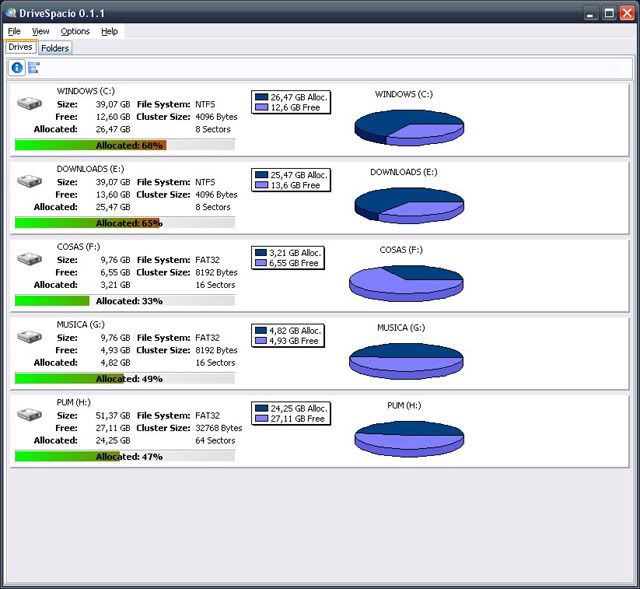
See ALL your drives info (file system, size, free, allocated, cluster size, etc) at glance.
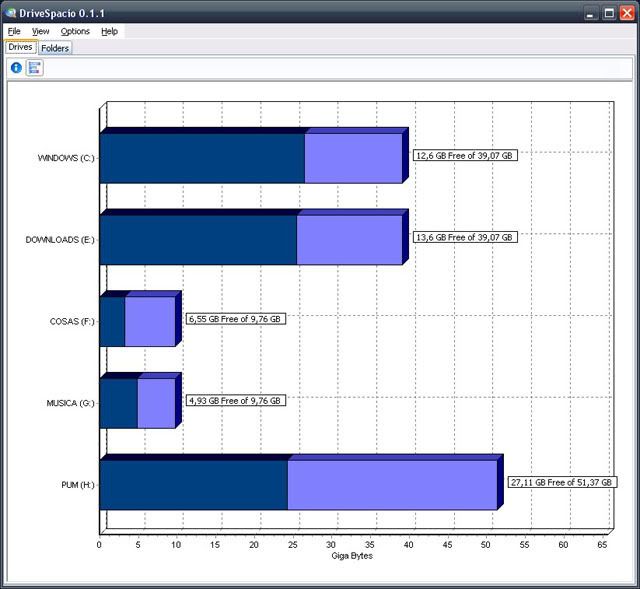
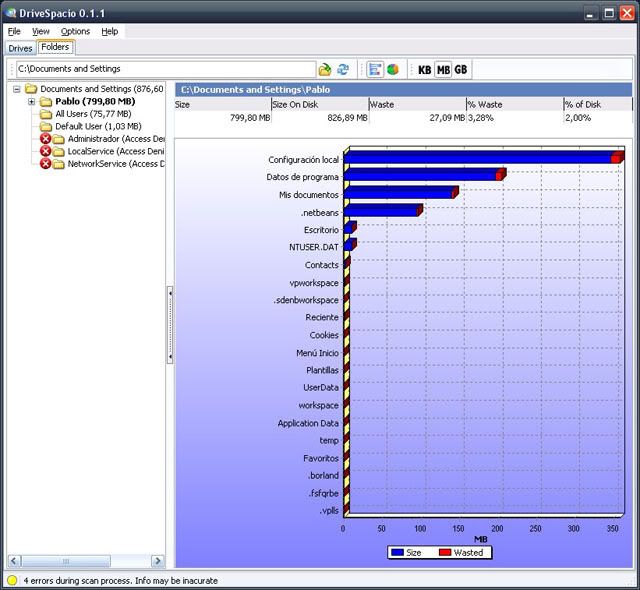
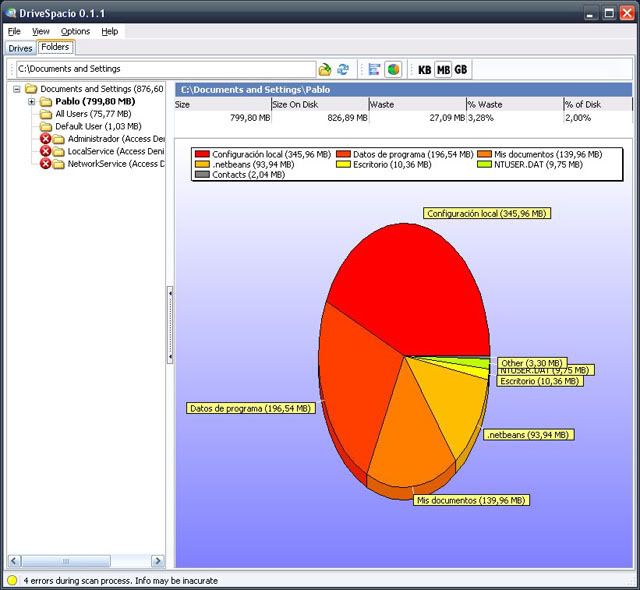
Graphical representation of folders and files sizes in two flavors: pie and bar charts
Scan speed comparable to comercial programs.
Installing not intrusive: options are saved in plane xml files (though, instaler has an option to add entries on the explorer contextual menus; this option need to write a couple of entries on te registry.
Graphical representation of folders and files sizes in two flavors: pie and bar charts
Scan speed comparable to comercial programs.
Installing not intrusive: options are saved in plane xml files (though, instaler has an option to add entries on the explorer contextual menus; this option need to write a couple of entries on te registry.
Download

No comments:
Post a Comment